 Mac cleaner & disk map
For Mac · Apple silicon
Trawl
Your Mac, minus the junk.
Trawl scans your whole disk, shows you exactly where the space went, and cleans up what you approve — caches, leftovers from deleted apps, forgotten downloads. Nothing is removed until you say so, and nothing about your files leaves your Mac.
- Notarised by Apple
- No account
- 14-day refund
7-day free trial, every feature · macOS 14 Sonoma or later · Apple silicon
Ready to remove
59.7 GB
7 days
free trial, every feature unlocked
1, 3 or 5
Macs per licence, your choice
0
file names, paths or contents uploaded
What Trawl does.
A map of your whole disk
One scan, then every folder laid out by size — as rings or as area, whichever you read faster. The 40 GB hiding in a forgotten cache stops being invisible.
Cleanup that shows its work
Caches, logs and temporary files listed item by item, with real sizes and real paths. Untick anything you want to keep, then confirm.
Complete uninstalls
Trawl finds what each app left behind — preferences, caches, support files, launch agents — and moves all of it to the Trash together.
Large and forgotten files
Everything over a size you choose, sorted by size or by how long it has sat untouched. Old disk images and one-time downloads are usually the fastest space back.
What launches without asking
Login items, agents and daemons in one list: what each one is, whether it is running, and which point at a program that is no longer there.
Maintenance that is not a mystery
Thin old Time Machine local snapshots, flush caches that go wrong, run the housekeeping macOS skips. Each job says what it does — and nothing runs until you tick it.
Simple when you want it. Every detail when you need it.
One switch under the logo changes how much Trawl shows. Same scans, same safety checks — only the level of detail changes.
Simple
Answers first, for everyday use
Eight modules named for what you want done. Each page leads with a plain answer and one button.
- Smart Scan, Cleanup, Files, Apps, Disk Map, Privacy, Maintenance and Activity
- Related tools share a page, one tab each
- The default for a new Mac
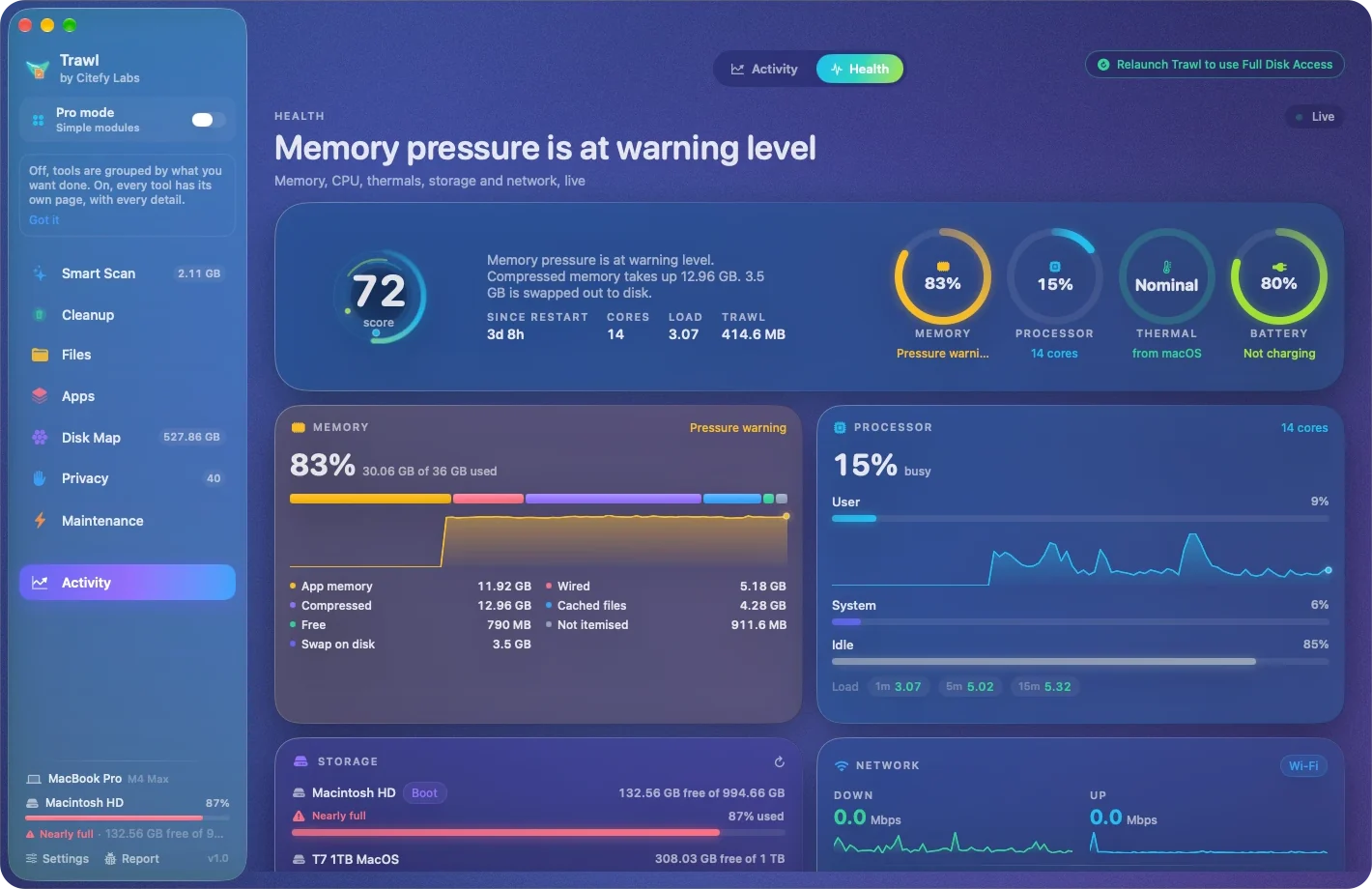
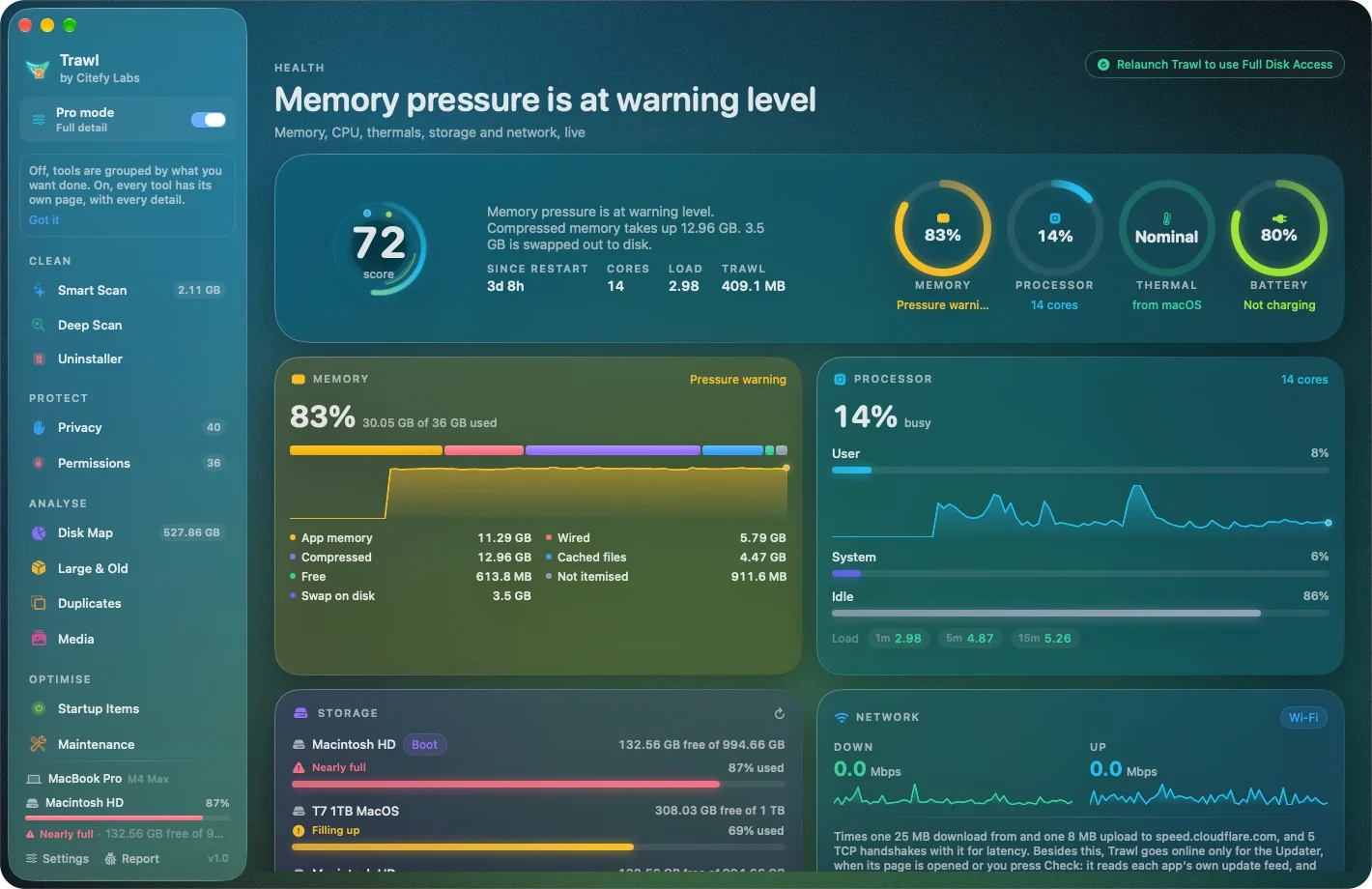
Drag to see the difference.
An example disk, before and after a sweep. An illustration, not a measurement — every Mac is different.
After Trawl
55.2 GB of 128 GB used
Before
92.2 GB of 128 GB used
See it in action.
real screenshotsThree steps. That's it.
Scan
One scan measures caches, logs, app leftovers and large files.
Review
Every item is listed with its size and path. Untick anything you want to keep.
Clean
Confirm, and Trawl removes what you approved. From a review, items go to the Trash, so you can put them back.
Built to be trusted with your disk.
A cleaner is only as good as what it refuses to do without asking. These are the rules Trawl keeps.
It shows its work
Every item comes with its size, its path and a plain reason — Why Trawl thinks so — and it is measured again on disk before anything moves.
Run does only what you ticked
Smart Scan's one button acts on the lines you ticked. Everything else is there for you to look through; Run never touches it.
A mistake is an undo
What you remove from a review goes to the Trash, and History's Put Back returns it to where it was — with or without a licence.
Honest about what it can't see
When macOS keeps a folder out of reach, Trawl names it and calls its total a floor, not the whole picture. No quietly skipped corners.
Private by design
No account. No file names, paths or contents ever uploaded. Crash reports and usage counts stay off until you turn them on.
Small and native
A 15 MB download, about 22 MB installed, and built for Apple silicon Macs on macOS 14 or later.
Try it. Then choose.
A 7-day free trial, every feature unlocked. Then a yearly subscription or a one-time licence, for 1, 3 or 5 Macs — and a 14-day refund on every payment.
Yearly
Every update
- Every update while it is paid
- Renews each year through Paddle
- Cancel any time
One-time
Keep it for goodYours to keep
- Works for good on any version from its year of updates
- Renew updates later only if you want them
- Nothing stops working if you don't
Prices in your currency on Trawl's pricing page. Sold through Paddle, our reseller — refund policy.
System requirements
- Requires
- macOS 14 Sonoma or later
- Chip
- Apple silicon (M-series) only
- Download
- Under 20 MB
- Languages
- English
- Account in the app
- Never required
- Crash and usage reports
- Off until you turn them on
Trawl needs Full Disk Access to measure and clean the whole disk. Setup asks for it and walks you to System Settings; you can withdraw it any time, and Trawl then says plainly which locations it can no longer read.
Questions
Is this a subscription?+
You choose. A yearly subscription includes every update while it is paid. A one-time licence keeps working for good on any version released within its year of updates. Both come for 1, 3 or 5 Macs, after a 7-day free trial.
What happens when the trial ends?+
Trawl keeps scanning and showing you what it finds; removing things — cleaning, uninstalling, maintenance — needs a licence. Put Back and History always work. The trial is 7 days, once per Mac, and starts when you finish setup.
Can Trawl delete something important?+
Not silently. Every item is listed before anything happens, and removals ask for your confirmation unless you turn that off. Most removals go to the Trash so they can be put back; Smart Scan's one-press Run, emptying the Trash, thinning Time Machine snapshots and clearing browser data are permanent, and Trawl says so first. System files macOS needs are never offered for deletion.
What is Pro mode?+
The same Trawl at full depth. Off, the sidebar is eight simple modules and each page leads with a plain answer. On, every tool has its own page and shows every row, path, reason and check. It is one switch under the logo, and you can change it any time.
Can I get a refund?+
Yes. A full refund within 14 days of any payment, no reason needed. Paddle, our reseller, pays it under Trawl's refund policy.
Do I need an account?+
No. Trawl has nothing to log into. Your licence key comes by email, and your licence page signs you in with a link sent to that email — there is no password.
Does anything about my files leave my Mac?+
No file names, paths or contents are ever sent. Trawl goes online only for what it lists in Settings and its privacy policy: starting the trial, checking the licence, its own updates, the speed test when you press it, and — only if you turn them on — crash reports and anonymous usage counts.
Does it run on an Intel Mac?+
No. Trawl is built for Apple silicon (M-series) Macs running macOS 14 Sonoma or later.